
Convocation Ceremonies
Ticket Access and Transfer
Congratulations on your graduation! We’re so excited to help celebrate you. The following steps include instructions to claim your tickets for your convocation ceremony. It also includes instructions on sharing tickets with your friends and family members. Please read this carefully.
Departments, programs, schools and colleges hold ceremonies where students often receive individual recognition and honors in more intimate settings. These special convocations and ceremonies make a wonderful complement to the university-wide celebration.
Before you begin, please check:
You shared your student email (NetID) address with your college’s convocation coordinator.
Family and friends attending have an active Ticketmaster account. If not, they’ll need to create a new account.
You have your family and friends’ Ticketmaster email addresses on hand. You’ll need these to transfer convocation tickets.
1
Step 1 | Access Link
Your college convocation coordinator will provide you with a direct link to register for your college or school. Please follow the link provided to the ticketing registration page for your ceremony.
This link can be accessed through a desktop computer or mobile device.
2
Step 2 | Sign In
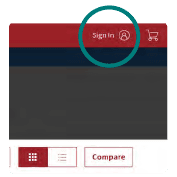 Following the link, you will use your university email address to log into Ticketmaster. Please note that Ticketmaster accounts under external emails will not have access to ceremony tickets.
If you have not created an account using your university (NetID) email address, then you will be prompted to create one.
3
Step 3 | Claim Tickets
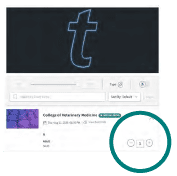 Once logged in, select the number of tickets you wish to claim for your guests. Next, Proceed to checkout to complete your order. Checkout can be accessed by selecting “Cart” in the upper right-hand corner.
Congratulations, tickets are now in your account and may be accessed or transferred to your guests!
Please note: access to your ceremony page and tickets is restricted ONLY to students who have provided their email to their college convocation coordinator.
If you are unable to access your college’s event, or do not see an active event listed, please check with your college’s convocation coordinator to ensure they have your correct NetID email address.
Transferring Your Tickets
1
Log into the UA Ticketmaster account (cannot be generic account) using the link provided by your college convocation coordinator.
2
Once logged in, click the hamburger icon in the upper left hand corner to access tickets.
3
On the ticket page, select “Transfer tickets” in the upper right hand corner.
Please note: you will be prompted to enter your guest’s First Name, Last Name, and Email Address. Your recipient will receive an email notifying them they have received tickets.